Read real articles.
In the language you're learning.
HushRead lets you read any article from the web in your target language — tap any paragraph to reveal the translation instantly. No app switching. No dictionary tabs. Just reading.

How it works
- 01
Find any article you want to read
A news piece in Spanish. A tech essay in Japanese. A French blog you've been meaning to get to. Paste the URL into HushRead, or share it straight from your browser.
- 02
Read in your target language
HushRead loads the article clean — no ads, no popups, no clutter. AI highlights the key terms before you start, so you know what to watch for.
- 03
Tap to understand. Only when you need to.
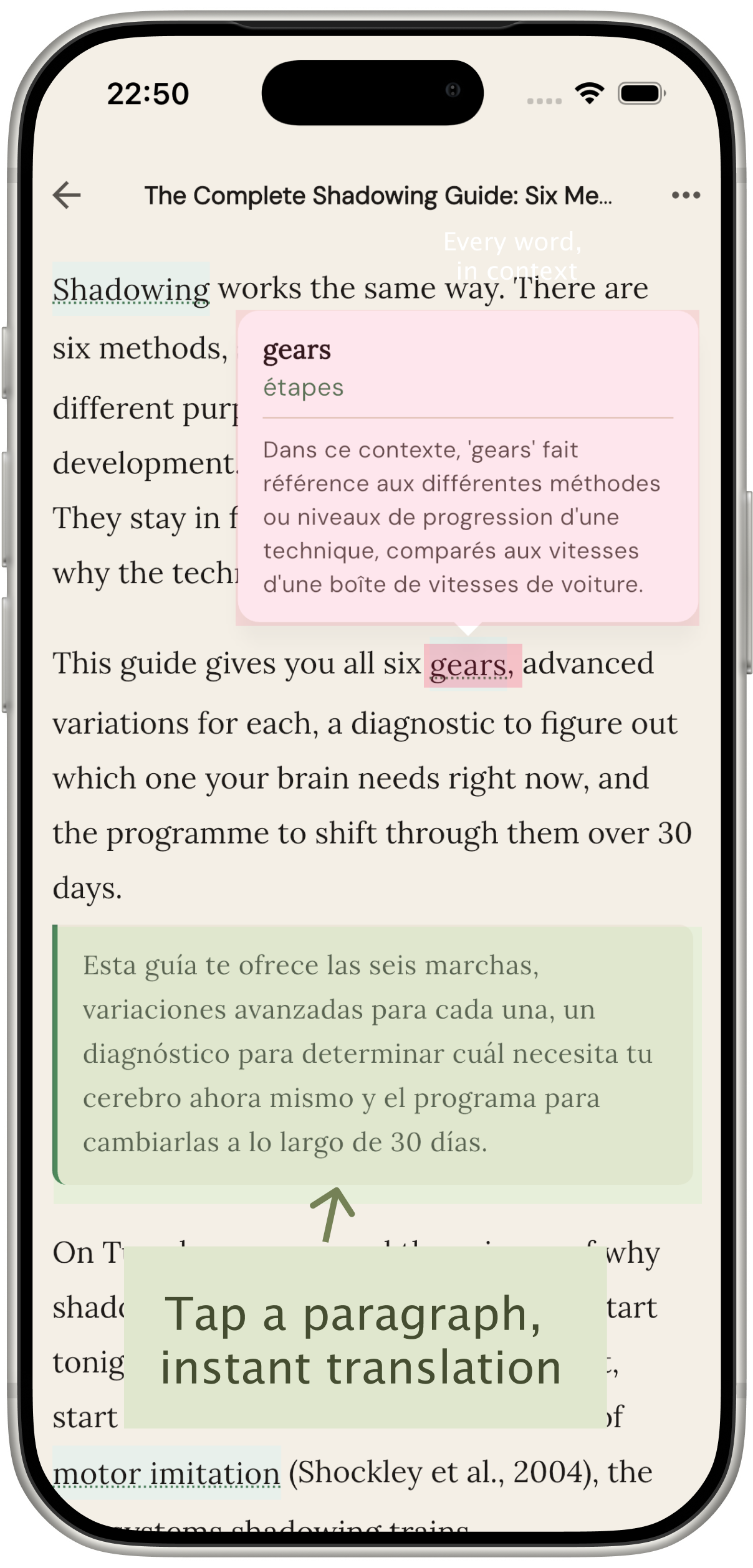
Hit a paragraph you don't fully follow? Tap it. The translation appears instantly — already cached, no internet needed. Tap again to hide it and keep reading in the original.
Translation on demand.
Not translation on autopilot.
Most translation tools replace the original — you end up reading in your native language and learning nothing. HushRead keeps the original front and center. You read in your target language. Tap only when you're stuck.
That's the difference between consuming content and actually building comprehension.
Instant
Translations are pre-cached when you open the article. No loading. No API call. No waiting.
Offline
Once loaded, HushRead works without internet. Read on a plane, underground, anywhere.
Paragraph-level
Not word-by-word. Not full-page auto-translate. The Goldilocks zone for language learning.
AI reads the article
before you do.
Before you read a single word, HushRead's AI analyzes the full article — the domain, the tone, the vocabulary that matters. It highlights the key terms and phrases specific to that piece.
Tap any highlight for an explanation that actually fits the context — not a dictionary definition, but an explanation tuned to what you're reading right now.
Example
Reading: an article about climate policy
"The process of capturing CO₂ from the atmosphere and storing it long-term — a core mechanism in the net-zero strategies discussed in this article."
Read the way you learn best.
Every article, every session — you choose how much help you want.
Original Only
For confident days. For testing yourself.
Tap to Translate
The safety net without the crutch.
Bilingual Mode
Ideal for beginners or dense material.
From readers who actually use it.
"I read Spanish news every morning. Before HushRead I'd give up halfway through when it got hard. Now I just tap the paragraph, check the translation, and keep going. My comprehension has improved more in two months than in a year of Duolingo."
"The glossary is what got me. I was reading a Japanese article about AI policy — the highlighted terms with contextual explanations made the whole thing make sense without me having to look anything up. It felt like having a tutor right there."
"I read French tech articles for work. Tap-to-reveal means I can read fast and only slow down when a paragraph actually throws me. I'm not constantly interrupted by translations I don't need."
Send to Kindle & Kobo.
Finish reading on your phone — then send the article to your Kindle or Kobo for continued reading on eink. Your translations and glossary travel with it.
The first reading app that connects mobile comprehension with eink focus.
- Deliver any article to Kindle or Kobo in one tap
- AI translations and glossary embedded in the EPUB
- Clean formatting — no ads, no clutter
- Bilingual Mode on eink: original and translation side by side
Common questions
What languages does HushRead support?
Spanish, French, German, Japanese, Korean, Portuguese, Vietnamese, Indonesian, Hindi, and English — 10 languages at launch, with more planned.
How accurate are the translations?
HushRead uses AI translation tuned for natural, readable output — not word-for-word machine translation. The goal is comprehension, not perfection. Real language learners consistently rate the quality as natural enough to learn from.
Does it work offline?
Yes. Translations are pre-cached when you open an article. Once loaded, you can read and tap to reveal without an internet connection.
What articles can I read?
Any publicly accessible article — news sites, Medium, Substack, personal blogs, Wikipedia. Paste the URL or share directly from Safari or any other app on your iPhone.
How is this different from just using Google Translate?
Google Translate gives you a translated webpage. HushRead gives you a clean reading experience with translation available on demand, not forced on you. Plus a contextual glossary that explains key terms the way they're used in that specific article — not how a dictionary defines them in the abstract.
How much does it cost?
Free to start — 10 articles per month, 1 AI translation, and full access to the AI glossary. Paid plans from $4.99/month for unlimited reads and translations.
Start reading in any language
today.
Free to start. No credit card required.
Free: 10 articles/month · 1 translation/month · Full AI glossary
Paid plans from $4.99/month · Cancel anytime in iOS Settings